Why Your Home Office Matters
The shift towards remote and hybrid working has transformed the way millions of British workers approach their daily routines. What was once a spare room or corner of the kitchen table has become a permanent workspace for many households.
A thoughtfully designed home office isn't just about aesthetics—it can affect your physical health, mental wellbeing, and professional performance. Investing time and consideration into your workspace pays dividends in comfort and productivity.
Choosing Your Location
If you have options about where to set up your home office, consider these factors:
Natural Light
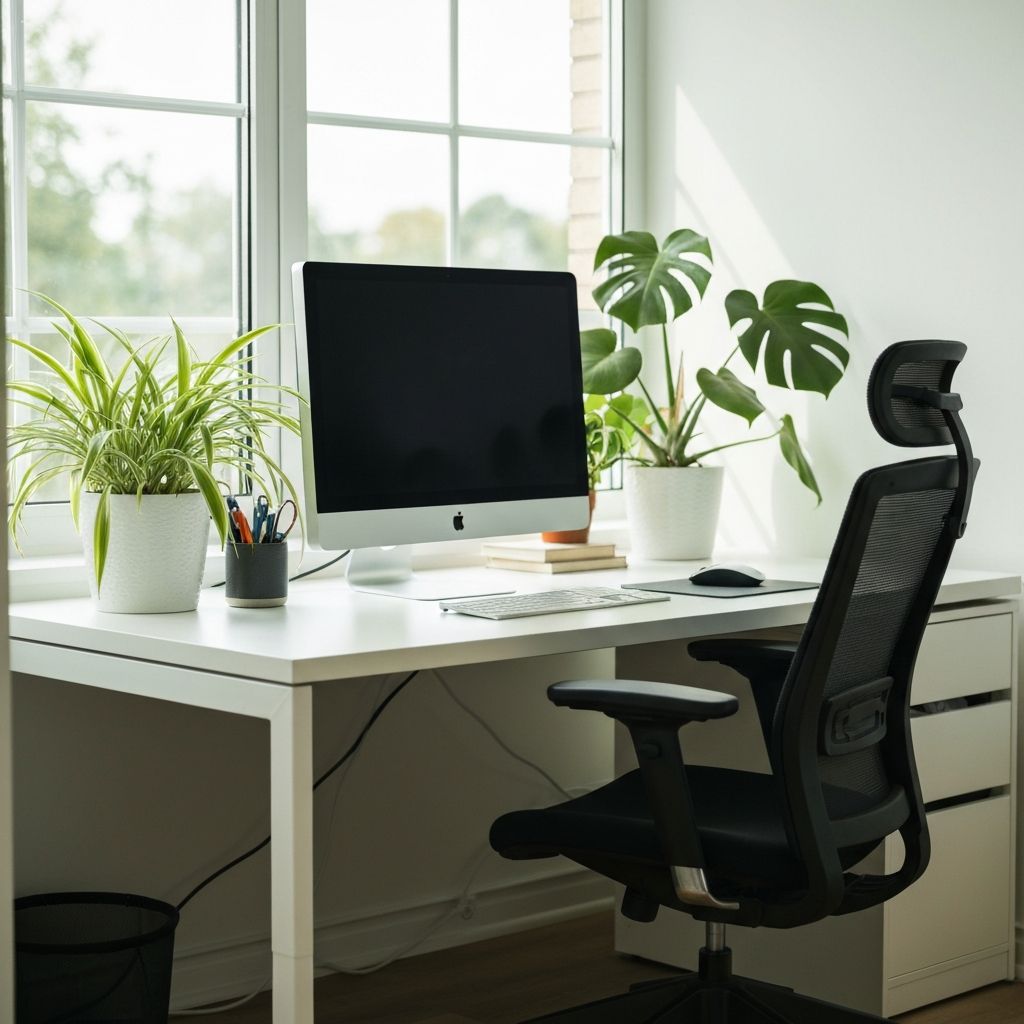
Position your desk near a window if possible. Natural light reduces eye strain, improves mood, and helps maintain healthy sleep patterns. However, be mindful of glare on your screen—positioning your desk perpendicular to windows often works best.
Separation from Living Spaces
If possible, use a dedicated room for work. This physical separation helps maintain boundaries between professional and personal life. If a separate room isn't available, try to create a distinct "work zone" that you can mentally and physically leave at the end of the workday.
Noise Considerations
Consider the noise levels of different areas of your home. Away from the kitchen, street-facing windows, or children's play areas can make video calls and concentrated work much easier.
Essential Furniture
Your Chair
An ergonomic chair is arguably the most important investment for your home office. Look for:
- Adjustable seat height
- Lumbar support
- Adjustable armrests
- Adequate seat depth and width
- Breathable material
While quality office chairs can be expensive, consider this a health investment. A second-hand chair from a reputable brand can be an excellent value option.
Your Desk
Your desk should be at a height that allows your forearms to rest parallel to the floor while typing. Consider:
- Standard desks at approximately 73-76cm height work for most people
- Height-adjustable desks offer flexibility and the option to stand
- Ensure adequate surface area for your work requirements
- Cable management features help maintain a tidy workspace
Technology Essentials
Monitor Position
Your screen should be positioned at arm's length, with the top of the screen at or slightly below eye level. This reduces neck strain and eye fatigue. Consider a monitor arm for adjustable positioning, particularly if you use a laptop with an external display.
Keyboard and Mouse
An external keyboard and mouse are essential if you use a laptop. They allow for proper ergonomic positioning and reduce strain on your wrists and shoulders.
Internet Connection
Reliable internet is non-negotiable for remote work. If your home office is far from your router, consider:
- A wired ethernet connection for stability
- WiFi extenders or mesh network systems
- Powerline adapters that use your home's electrical wiring
Important Notice
If you're employed, your employer may have specific health and safety requirements for home working. Some employers offer contributions towards home office equipment or conduct virtual workspace assessments.
Lighting Your Workspace
Good lighting reduces eye strain and fatigue:
- Task Lighting: A desk lamp with adjustable brightness helps illuminate your immediate work area
- Ambient Lighting: Overhead or room lighting should be soft and not create harsh shadows or glare
- Avoid Contrast: Try to balance the brightness of your screen with your surroundings
- Video Call Lighting: If you have frequent video meetings, ensure your face is well-lit from the front, not backlit by a window
Creating a Productive Environment
Temperature and Ventilation
A comfortable temperature (typically 18-22°C for most people) and good air quality contribute to sustained focus. Consider a small desk fan or proximity to a window you can open.
Plants and Greenery
Studies suggest that plants in the workspace can reduce stress and increase productivity. Low-maintenance options like pothos, snake plants, or peace lilies thrive indoors with minimal care.
Personal Touches
While minimising clutter is important, a few personal items can make your space feel comfortable and motivating. Just be mindful of your video call background.
Tax Considerations
If you work from home, you may be able to claim tax relief for additional household costs. The rules depend on your employment status and working arrangements. HMRC provides guidance on working from home tax relief, though the specific allowances and eligibility criteria may change.
Disclaimer: This article is for general information purposes only and is not a substitute for individual advice from tax advisers, lawyers, doctors, financial advisers or competent authorities. Tax rules are subject to change, and your individual circumstances will affect what relief you may be entitled to claim.
Maintaining Work-Life Balance
A home office presents unique challenges for separating work and personal life:
- Set Clear Hours: Define when your workday starts and ends, and try to stick to these boundaries
- Create Rituals: A morning coffee routine or end-of-day tidy-up can signal transitions between work and personal time
- Take Breaks: Step away from your desk regularly, ideally leaving the room entirely
- Shut Down Properly: At the end of the day, close work applications and, if possible, physically close the door to your office
Sources / More Information
- Health and Safety Executive - Working with Display Screen Equipment
- ACAS - Working from Home Guidance
- HMRC - Working from Home Tax Relief